EZAudio v1 Is Here: Free AI Vocal Remover, Stem Separator & Audio-to-Text Tool Launches
EZAudio v1 is officially live. Three AI audio tools — vocal remover, stem separator, and audio transcription — are now free and available worldwide. No installation required. Get 10 free credits daily, or sign up via Google/email for 50 bonus credits.
EZAudio Team
Last Modified: July 12, 2026
Why EZAudio?
In 2026, AI audio processing has become an essential part of every creator's daily workflow. Whether you need to extract a backing track from a song for a cover, split a complex mix into individual stems for remixing, or quickly transcribe a meeting recording into text, traditional tools like Audition and Logic Pro come with high installation barriers, steep learning curves, and heavy reliance on local computing power.
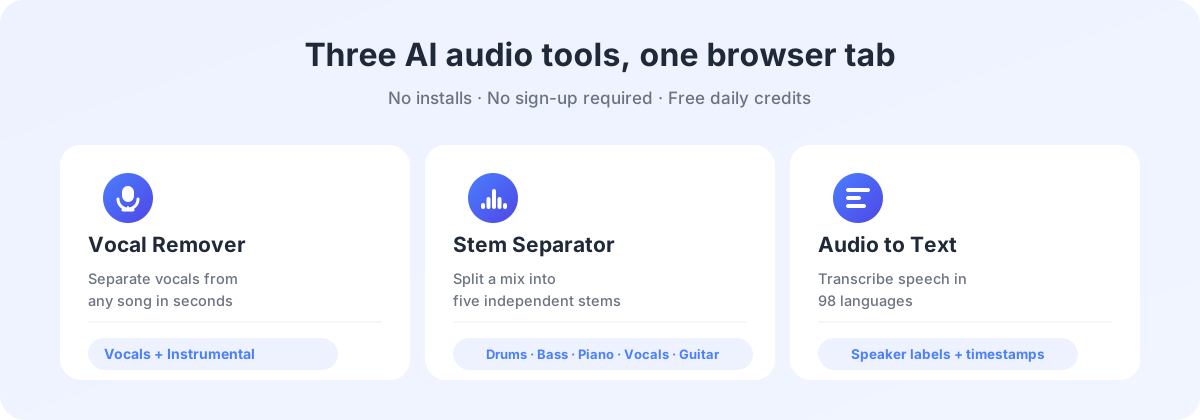
EZAudio (ezaudio.io) is a fully browser-based AI audio processing tool — no installation required, no registration needed to start. Version 1 is built around three core scenarios:
- AI Vocal Remover — Separate vocals and accompaniment from any song
- AI Stem Separator — Split a mix into drums, bass, piano, vocals, guitar, and more
- AI Audio to Text — Speech-to-text supporting 98 languages
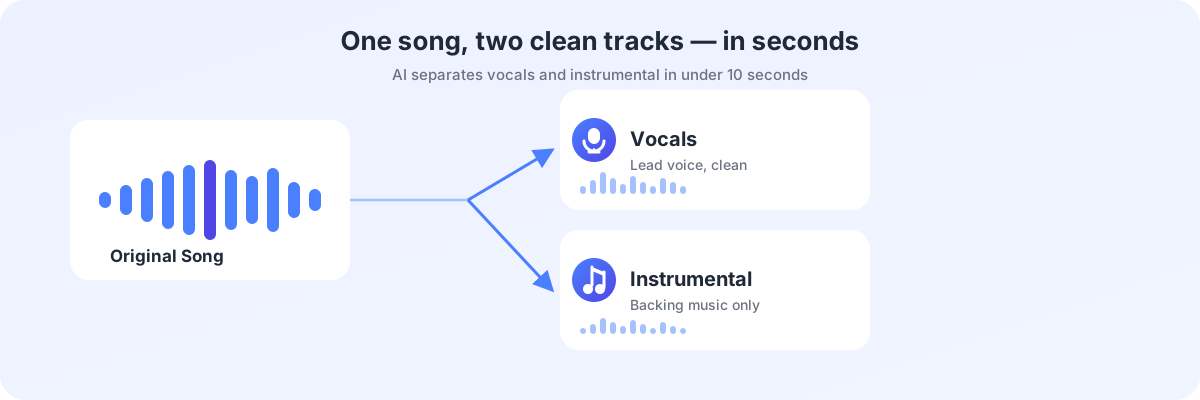
AI Vocal Remover: Extract Clean Vocals and Instrumentals from Any Song
The Vocal Remover is one of the most frequently used features in v1. Powered by deep neural networks, the system automatically analyzes audio spectrograms, identifies and separates vocal frequencies from background instrumental frequencies — all in under 10 seconds with high precision.
Using the Vocal Remover takes just three steps:
- Upload Audio — Drag-and-drop or click to upload MP3, WAV, FLAC, OGG, AAC files (max 80MB, up to 10 minutes)
- AI Auto-Separates — Advanced algorithms deliver high-fidelity vocal and instrumental tracks in under 10 seconds with minimal distortion
- Download Results — Get two independent MP3 files: vocals and accompaniment
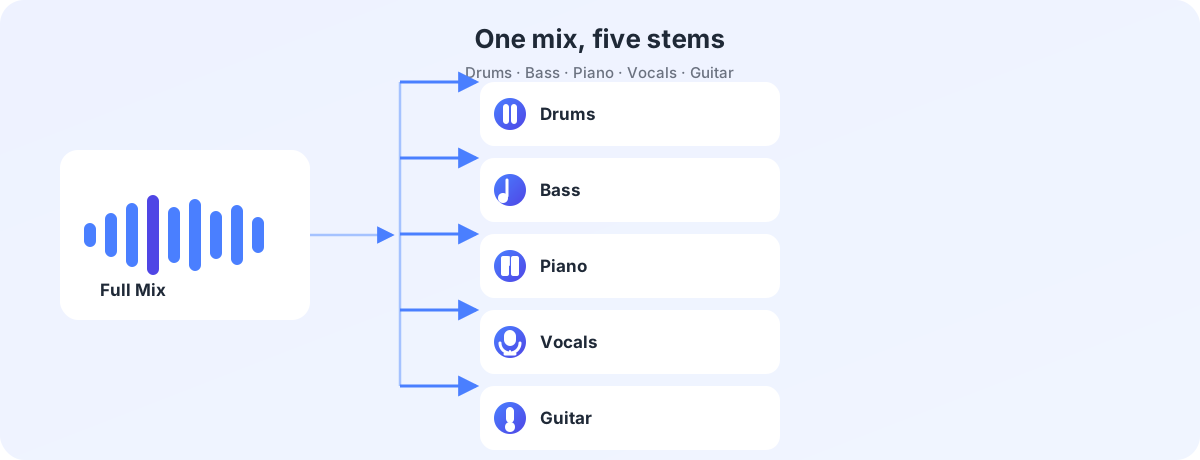
AI Stem Separator: Deconstruct a Mix into Drums, Bass, Piano, and More
Compared to simple vocal/accompaniment separation, Stem Separation goes further — it can deconstruct a complete mix into Drums, Bass, Piano, Vocals, Guitar and other independent stems.
This means music producers can extract a bassline for arrangement reference directly from a finished mix, or export a clean piano track for remixing. Traditionally, you'd need the original project files to access individual stems — EZAudio's AI spectral separation technology fundamentally changes this workflow.
| Feature | Vocal Remover | Stem Separator |
|---|---|---|
| Output Tracks | 2 tracks (Vocals + Instrumental) | 4-5 tracks (Drums/Bass/Piano/Vocals/Guitar) |
| Processing Speed | 5-10 seconds | 15-30 seconds |
| Use Cases | Cover songs, karaoke, podcasts | Remixing, arranging, sample extraction |
| Credit Cost | ~8 credits | ~15 credits |
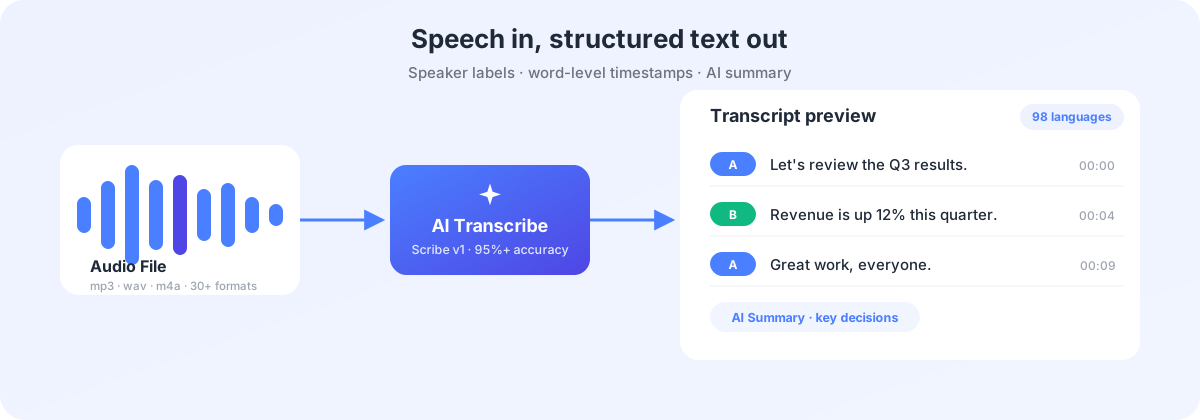
AI Audio Transcription: 98-Language Speech-to-Text with Speaker Labels
The Audio Transcription module is the platform's highest-usage feature. It's not just speech-to-text — it's a complete intelligent transcription workflow.
| Capability | Details |
|---|---|
| Language Coverage | 98 languages including English, Chinese, Japanese, Korean, Spanish, French, with accent-specific optimizations |
| Processing Speed | 1 hour of audio transcribed in ~30 seconds; supports files up to 10 hours |
| Speaker Diarization | Auto-detects and labels different speakers (Speaker A / B), ideal for meetings, interviews, group discussions |
| AI Summary | Auto-generates structured summaries with key decisions and action items |
| Export Formats | TXT, DOCX, PDF, SRT (subtitles), VTT (subtitles), CSV |
| Input Methods | Local file upload (MP3, WAV, M4A, MP4, MOV, 30+ formats) plus YouTube / Google Drive / Dropbox links |
Credit System Explained: How to Maximize Free Usage
EZAudio uses a usage-based credit system. Each processing action consumes a certain number of credits. We designed it so that every user can fully experience all features within the free tier — no credit card required.
Credit Acquisition Channels
| Method | Reward | Frequency & Details |
|---|---|---|
| Anonymous Daily Credits | +10 credits | Refreshes daily. No registration required. |
| New User Registration | +50 credits | Via Google account or email signup. One-time grant. |
| Daily Login | +20 credits | Automatically claimed on first login each day. |
| Invite Friends | +50 credits per invite | Awarded when your invitee completes registration |
| Social Tasks | Up to +90 credits | Follow social media accounts, +30 credits per platform |
| Credit Packs | From 100 credits | Starting at $5. One-time purchase, never expires. |
Optional Subscription Plans
| Plan | Price | Monthly Credits | Additional Benefits |
|---|---|---|---|
| Free | $0/month | 20 credits daily (login) | 50 signup bonus, all features |
| Starter | $9/month | 1,000 + daily +20 | No task limits, priority processing |
| Pro | $29/month | 5,000 + daily +50 | Premium support, all export formats |
| Business | $99/month | 20,000 + daily +100 | Team collaboration (coming soon), unlimited tasks |
Two Ways to Get Started Instantly
- Google One-Click Login — Click "Continue with Google" to complete registration instantly. Takes 3 seconds.
- Custom Email Registration — Sign up with any email address. Receive 50 bonus credits on registration.
- No Registration Needed — Anonymous users receive 10 free credits daily. Zero barriers to trying all features.
Privacy & Security: Data Protection by Design
In an era of proliferating AI tools, data privacy has been a foundational design principle of EZAudio from day one.
| Security Measure | Implementation |
|---|---|
| In-Memory Processing | All files are processed in browser memory. No persistent cloud storage. |
| Transport Encryption | End-to-end 256-bit SSL encryption |
| 24-Hour Auto Deletion | Server-side temporary files are permanently deleted within 24 hours |
| No AI Training | Uploaded audio data is never used for AI model training or improvement |
| Cross-Platform | Works on desktop, tablet, and mobile browsers with no app installation required |
Frequently Asked Questions
Is it really completely free?
Yes. Anonymous users get 10 credits daily. Registered users get 20 credits daily plus a one-time 50-credit bonus. Paid plans are optional upgrades. No hidden fees or forced purchases.
What audio formats are supported?
Vocal Remover and Stem Separator support MP3, WAV, FLAC, OGG, AAC (max 80MB). Audio Transcription supports 30+ input formats including MP3, WAV, M4A, MP4, MOV, AVI, MKV, plus YouTube link pasting.
Are my files safe? Will they be used to train AI?
Absolutely safe. Files are encrypted in transit, processed in memory, and immediately cleared after processing. Server-side temporary files are destroyed within 24 hours. EZAudio never uses user data for AI model training.
Do credits expire?
Daily free credits reset at UTC+8 midnight and do not accumulate. Registration bonus credits and purchased credit packs never expire.
Can I use it on mobile?
Absolutely. EZAudio is a pure browser application that works on desktop, tablet, and mobile — no app installation required. Just open ezaudio.io in your mobile browser.
Can I cancel my subscription anytime?
Yes. All paid plans support cancelling auto-renewal at any time. Your benefits remain active until the end of the current billing cycle.